
Work Orders
Keep maintenance work connected to the machine. Track work order details, review recorded labor costs and link service work to maintenance plans—so your fleet team can see what needs attention and keep the next service in view.
One operational picture
What you get with goAardvark
Machine Detail
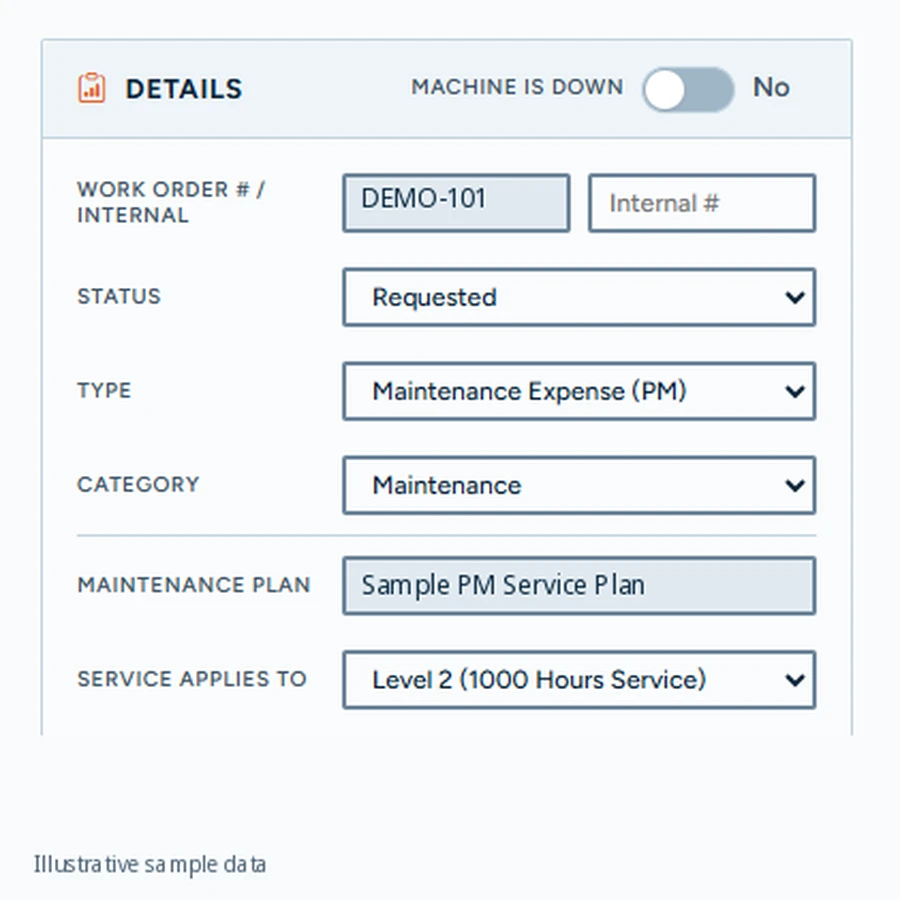
Keep the key details of each machine’s work order together. Record its status, type and category, indicate whether the machine is down, and connect the work to a maintenance plan and service level. A shared record gives the shop and fleet office the same context for the job.
Depth of data your team can rely on.
Machine Detail
Total Cost Summary
Review recorded work order costs alongside the jobs behind them. The work order view brings total labor into focus, with keyword search and a list of work orders to open for more detail. Use that context to understand maintenance spending without losing the connection to individual jobs.
One shared record for everyone involved.
Total Cost Summary
Maintenance Plans
Connect work orders to the machine’s maintenance plan and the service level being performed. Review the next maintenance due in hours and the next service level in the plan. The plan editor also highlights when an open work order prevents the next service from being changed.
Traceable and audit-ready from day one.
Maintenance Plans
Frequently asked questions
More features
All featuresKnow where your fleet stands before the day slips.
Book a demo to see how goAardvark fits your heavy-civil operation.